
Docovia: The Land for Your Docs
manishrjain.com/launching-docovia
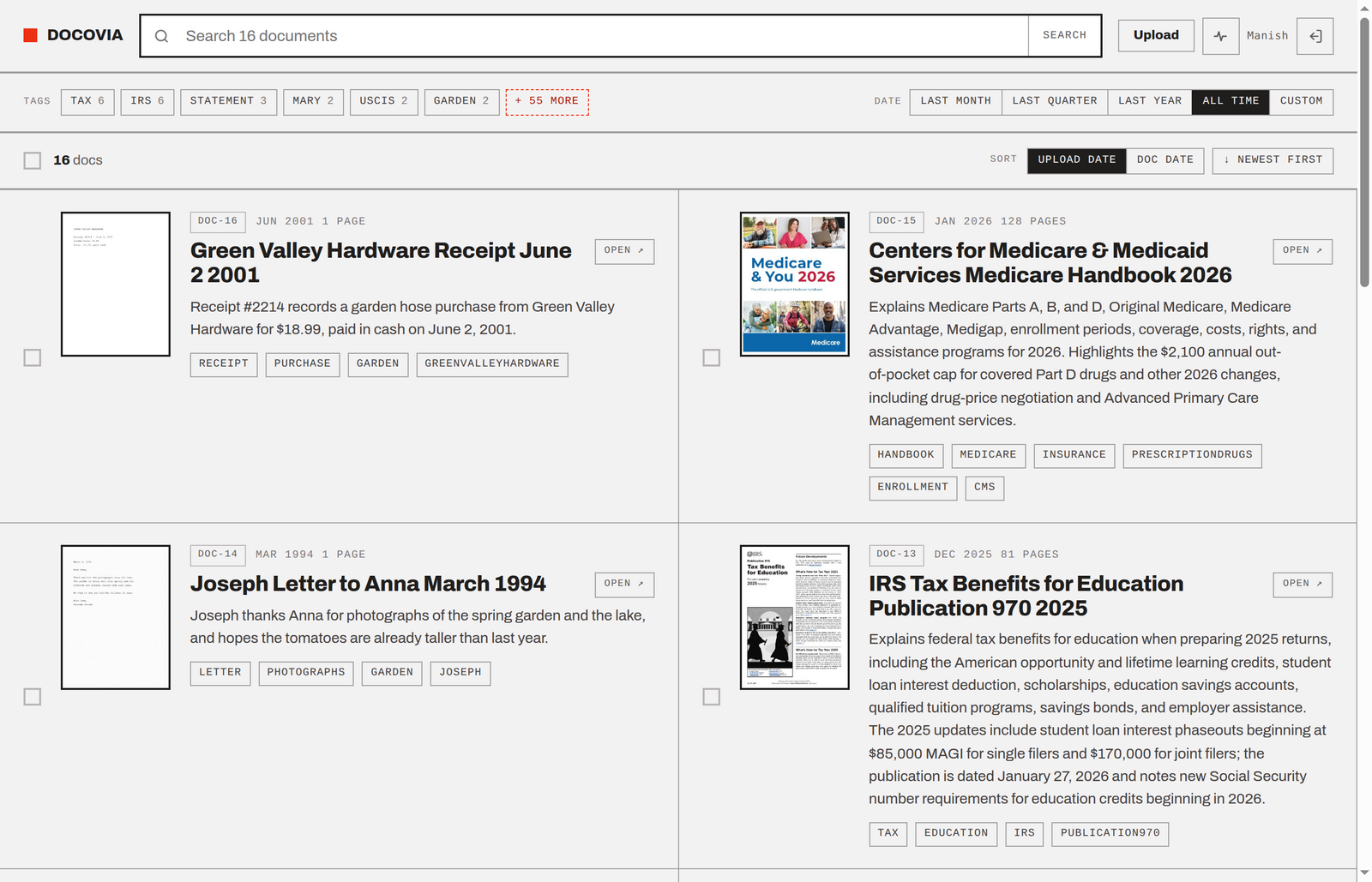
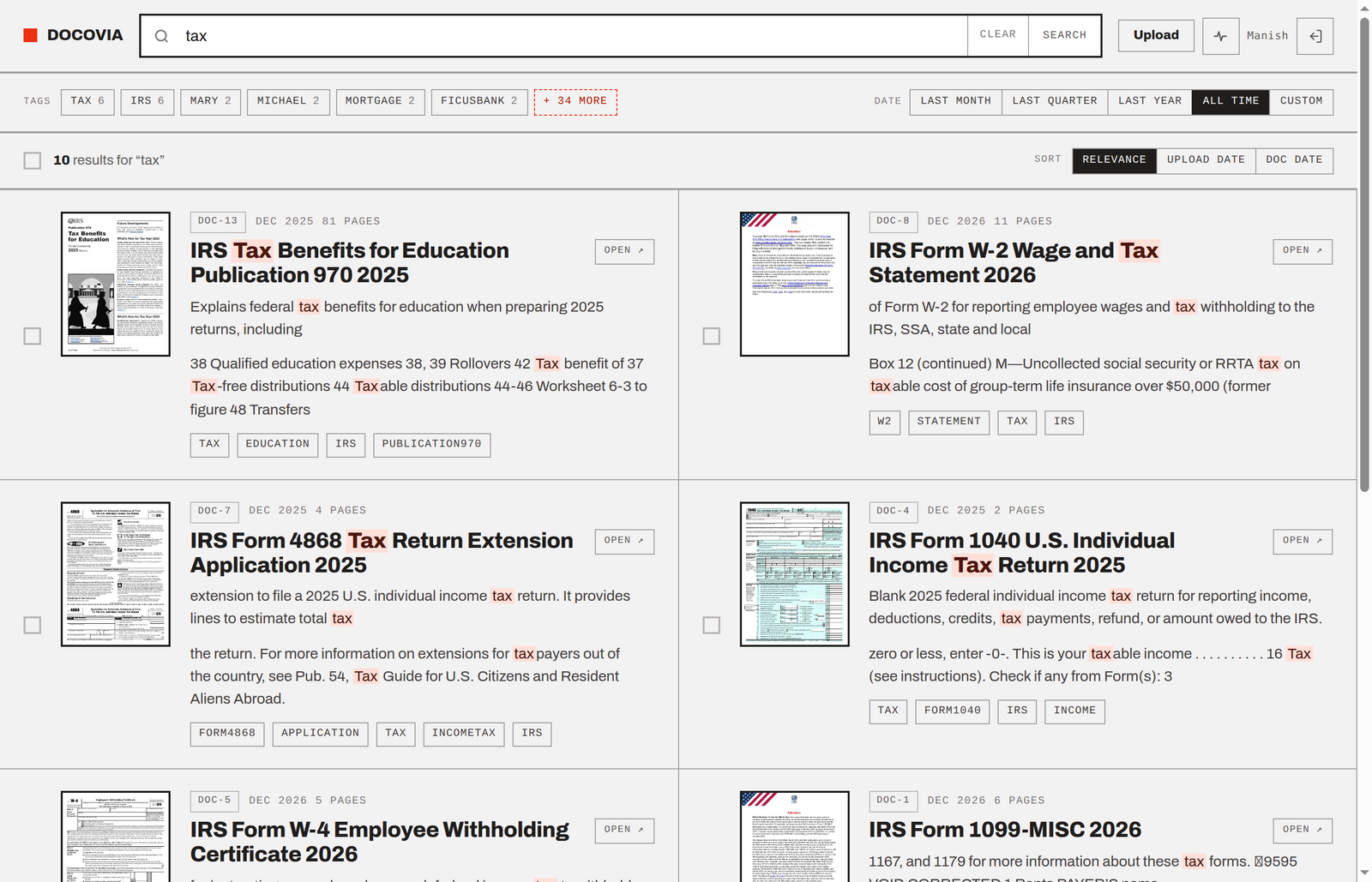
Docovia is the land for your docs, a place your docs can call home. It hosts, processes, archives, extracts text, enriches the doc via LLM, and makes it all searchable via Typesense.
You can see a live read-only demo of Docovia here. The source code is available on GitHub.
I’ve been self-hosting paperless-ngx for a while now, and I owe it my real gratitude. It got me away from the clutches of Dropbox and Google Drive, where my docs were piling up with many duplicated copies and without any great organization. The idea of just dumping your docs into one thing and arranging it all via tags and search was new to me, and it really is a delight to work with.
So, why Docovia? I wrote Docovia after growing unhappy with paperless-ngx. After months of usage, I found the search to be slow, the quality of results to be bad, and the whole interface to be old-school and buggy. In fact, my first attempt to fix the bad search was to run Typesense over paperless-ngx, which produced remarkably better results. Emboldened by that, I decided to build Docovia from scratch.
This was a side project for me; I didn’t want to spend a lot of time on this. The whole thing was built over a busy family-oriented weekend and three weekdays. I iterated a lot on the Design, UI/UX over both desktop and mobile, enrichment (via LLM) and search quality.
I remember the days of building Struct Chat (a Slack alternative I wrote years ago). It took a lot of time and effort to put together a great design, which went through so many iterations over so many days. And then, getting the design to work in the frontend, which then went through many more iterations to get it to follow the design exactly. Which then led to changes in the design, which led to changes in the frontend, and on and on the cycle went.
With Claude Design and Code, this iteration happened much faster. Funny though that Claude Code still didn’t always follow the design and had to be reminded about things it missed. But, that iteration speed was fast. This was my first time using Claude Design, and for a non-designer like me, the results were surprisingly good.
In all of this, I didn’t get much time to do thorough code reviews. When I did read the Go code, I found some unnecessary complexity which I fixed later. Therefore, I would add a disclaimer that the quality of this code might not be quite there… shrug
Naturalization Process
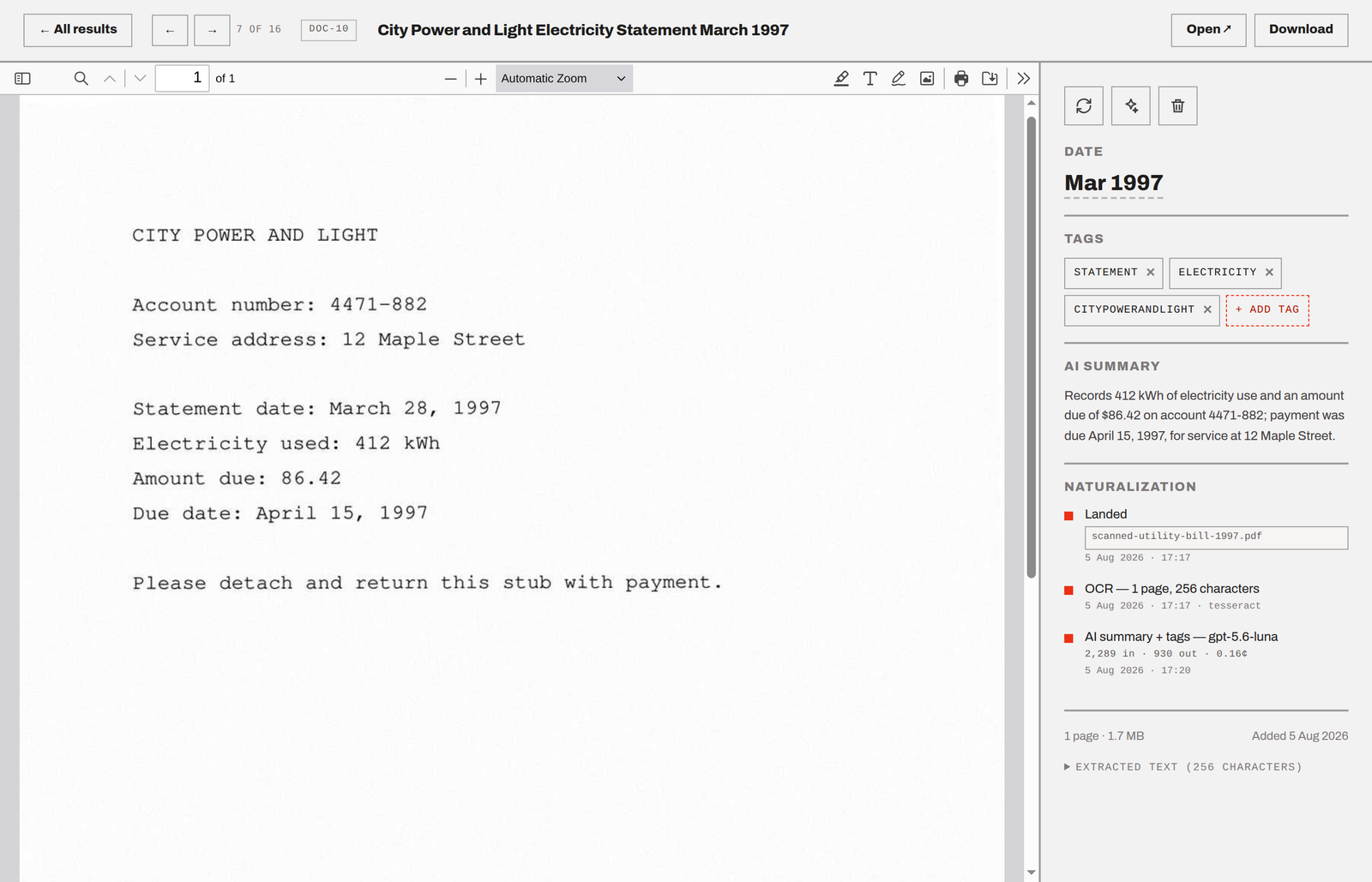
Docovia is great because you can just dump your documents without worrying about any folder-level organization. Once a doc is uploaded, Docovia processes it as follows:
- Check for duplicates via SHA checksum and reject if found.
- Unlock if locked, trying every known password from previous successful unlocks. Overwrite the original with this unlocked version, while keeping the original’s checksum to catch duplicates.
- Extract text, either by reading the native text layer or running OCR over it.
- Send extracted text to LLM (OpenAI) to determine title, document date, tags and summary.
- Index the doc in Typesense, which holds everything in RAM – search is instant, scored and full-text.
- The Doc is now a fully naturalized citizen of Docovia. Welcome!
Keeping It Simple and Stupid (-ly Smart)
The initial design of Docovia went for a database. But, I quickly backed out of it to instead just use a JSON file per doc. The motivation for that was to keep operations and backups very simple. The root directory holds these:
originalsdir holds the original documents.archivedir holds the generated PDF version of each doc.thumbsdir holds the generated thumbnails for each doc.docsdir holds the JSON metadata per doc.ingestdir is where you can dump documents to bulk ingest.- (optionally)
passwordsfile holds the passwords to unlock PDFs. journal.jsonladds structured logging per doc to show on the status page.
By just backing up this root dir, you have everything you need to recreate Docovia anywhere. There’s no database to restore. On every boot, Docovia rebuilds the entire Typesense index from the JSON files.
What Does It Cost to Run
The expensive part of document parsing and processing pages, is done via free local tools. These tools are all packaged in the Docker image, so there’s no need to install anything specific on your desktop. Docker is the recommended way to install and run Docovia.
The LLM usage is designed to be cheap. Docovia doesn’t send the doc out for text extraction, which would be more expensive. It only sends the text extracted via local tools and gets back a generated title, summary, tags and a date for the doc.
I really like the date extraction – it’s not the date of upload or creation timestamp, it’s the date mentioned in the doc. The LLM prompt asks the model to be judicious about picking up this date. I’ve seen good results with the prompt.
I use OpenAI’s Luna model, which is remarkably cheap and costs $0.20/M tokens input, and $1.20/M tokens output. It processed some 8,500 of my docs, only costing about $10. I’m happy with that.
FWIW, you can turn off the LLM feature. Docs then keep their filename as the title, which along with the extracted text is searchable via Typesense. It all still works just fine.
What It Does and Does NOT Do
Docovia accepts:
- PDFs
- Images (jpg, png, tiff, webp)
- Plain text and Markdown
- Mainstream office formats — Word, Excel, PowerPoint, their OpenDocument cousins and RTF, converted via LibreOffice.
Whatever arrives is normalized into a PDF with a text layer, so a spreadsheet and a phone photo of a receipt end up equally searchable. Anything else is refused out loud.
Docovia only supports OpenAI for LLM today.
Docovia doesn’t do TLS. To make Docovia publicly accessible, set it behind a TLS proxy (I use Caddy) and set up an OIDC provider (I use Pocket ID).
Docovia doesn’t maintain any username-password table. Identity is delegated to an external OIDC provider. A request without a valid session cookie is redirected to its login. Who may log in and get a session cookie is decided entirely at the provider.
Docovia doesn’t do any access control over docs. Once you have a valid session cookie, you get access to all the docs. Without a cookie, no docs. It’s all or nothing.
Things Docovia doesn’t do, with (easy) workarounds:
- Doesn’t do automated backups. That can be easily set up via an external script. I use restic – more about that in the GitHub README.
- Doesn’t do email ingestion. That’s something that can be easily done via an external script as well. Set up an email sync mechanism, pick the PDFs, copy them over to the ingest directory.
- There’s no doc sharing. Download and send.
Try It Out
Docovia’s code is available under the Apache 2.0 License on GitHub. Demo here
Your documents deserve a home, so give Docovia a try. Welcome to Docovia!
Frequently Asked Questions
Multiple people asked me about the specific issues I had with Paperless-ngx. So I decided to add this section to answer that. Here goes.
My experience spans Paperless 2.x and 3.x.
In 2.x, “title and content” search was extremely slow — close to 27s (for 4K docs) for basic text matching. It looked like Postgres ILIKE without an index, and running it multiple times. It also had no score-based ranking, just raw text matching, which isn’t great.
The alternative in 2.x was “advanced search,” but that ran on an unmaintained search index that wasn’t anywhere near Typesense or Meilisearch. The new Rust-based Tantivy in 3.x helps a lot on that front.
Why Paperless run very similar searches with 2 different backends, with one being significantly different in speed and quality than the other? I don’t understand. And to me, it’s unnecessary complexity.
Even if you then default to “advanced search” always, the problem is you then hit UI issues.
I lost hours to bad results on 3.x before realizing they were sorted by title rather than score — and the UI gave no indication of that, and still doesn’t. On 3.0.3, pressing enter often submits only part of my search term because the UI is busy doing something else, so you have to pause a second after typing before hitting enter.
For what should be a simple ‘search box which just works’, that’s more footguns than I want.
That’s what pushed me to build Docovia: simple, effective search on Typesense over JSON — no database, no 2 backends — plus automatic document unlocking, title generation, tagging, and summaries. Minimal, snappy UI that focuses on the things that matter.